
Upgrade Voice Replacement Remote for FireStick Smart 3rd Gen, 2nd Gen, Lite, 4K/ for All Insignia Toshiba Pioneer Smart TVs, for Smart TVs (3rd Gen, Pendant Design)
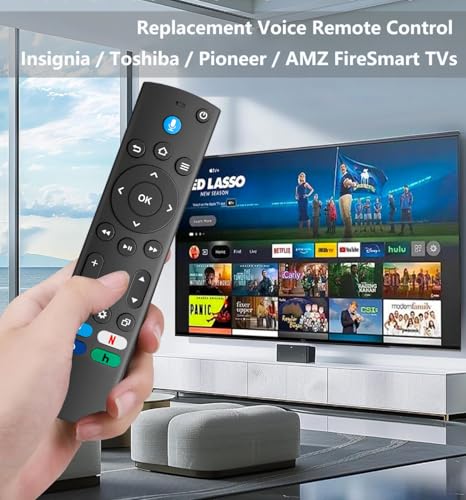
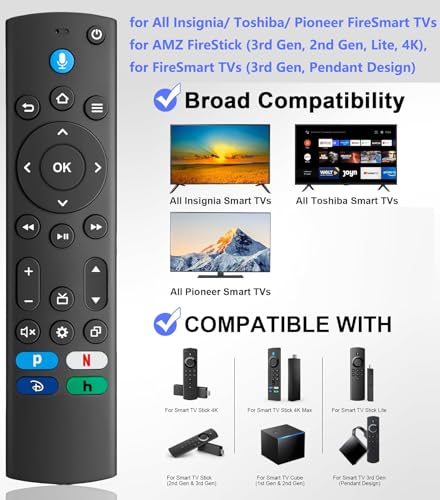
【WIDELY COMPATIBLE】Voice Replacement Remote for Smart TV fireStick(1st / 2nd / 3rd Gen), for Smart TV Cube(1st / 2nd / 3rd Gen), Smart TV Stick 4K Max(1st / 2nd Gen), Smart TV Stick 4K(1st / 2nd Gen),Smart TV Stick Lite, Smart TV(3rd Gen), for Omni QLED Series Smart TVs, for Omni Series Smart TVs, 4-Series Smart TVs, for Toshiba Smart TVs: LF711 / LF621U / LF421U / LF221U / C350 / A810U / A710U / M550 / V35 series, for Insignia Smart TVs: F30 / F20 / F50 / DF710 / DF711 / DF310 / DF510 / DF311 / DF620 series, for Pioneer TVs PN450 / PN651 / PN851 / PN951 series ect.
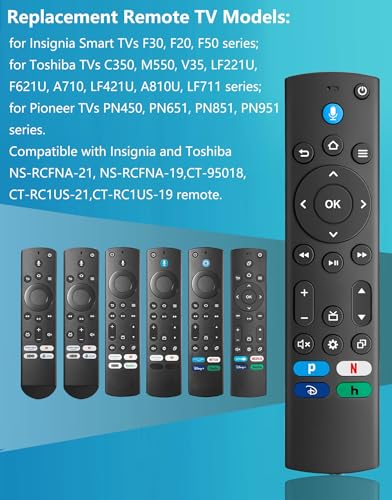
【Compatible with TV Models】Compatible with Insignia Smart TVs F30, F20, F50 series, for Toshiba TVs C350, M550, V35, LF221U, F621U, A710, LF421U, A810U, LF711 series, for Pioneer TVs PN450, PN651, PN851, PN951 series. for Insignia and Toshiba NS-RCFNA-21,NS-RCFNA-19,CT-95018,CT-RC1US-21,CT-RC1US-19 remote.
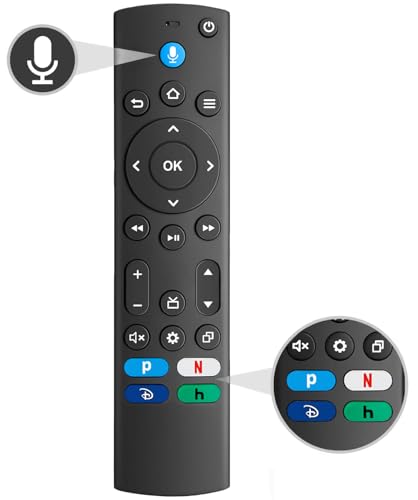
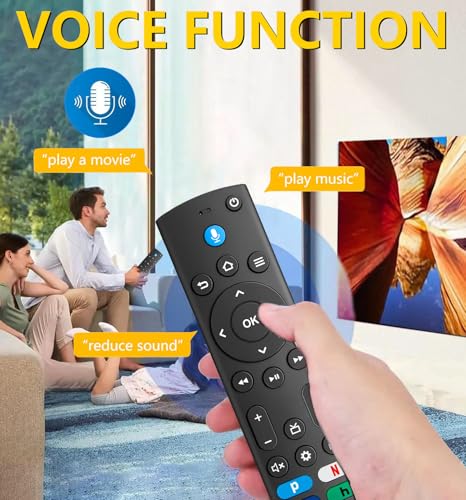
【Intelligent Voice Function】Remote Control for TV FireStick/ TV Cube/ Smart TV(3rd Gen) allows for voice control, simply press the microphone button and say the keywords you want, such as lowering volume, playing music, etc., to control the TV. Please note that it is only compatible with voice enabled TVs. If your TVs do not support voice functionality, the remote control will not work and only one TV device can be connected at a time.
$8.99
【WIDELY COMPATIBLE】Voice Replacement Remote for Smart TV fireStick(1st / 2nd / 3rd Gen), for Smart TV Cube(1st / 2nd / 3rd Gen), Smart TV Stick 4K Max(1st / 2nd Gen), Smart TV Stick 4K(1st / 2nd Gen),Smart TV Stick Lite, Smart TV(3rd Gen), for Omni QLED Series Smart TVs, for Omni Series Smart TVs, 4-Series Smart TVs, for Toshiba Smart TVs: LF711 / LF621U / LF421U / LF221U / C350 / A810U / A710U / M550 / V35 series, for Insignia Smart TVs: F30 / F20 / F50 / DF710 / DF711 / DF310 / DF510 / DF311 / DF620 series, for Pioneer TVs PN450 / PN651 / PN851 / PN951 series ect.
【Compatible with TV Models】Compatible with Insignia Smart TVs F30, F20, F50 series, for Toshiba TVs C350, M550, V35, LF221U, F621U, A710, LF421U, A810U, LF711 series, for Pioneer TVs PN450, PN651, PN851, PN951 series. for Insignia and Toshiba NS-RCFNA-21,NS-RCFNA-19,CT-95018,CT-RC1US-21,CT-RC1US-19 remote.
【Intelligent Voice Function】Remote Regulate for TV FireStick/ TV Cube/ Smart TV(3rd Gen) allows for voice Regulate, simply press the microphone button and say the keywords you wish to have, such as lowering volume, playing music, and the like., to Regulate the TV. Please note that it is just compatible with voice enabled TVs. If your TVs do not enhance voice functionality, the remote Regulate will not work and only one TV device may also be connected at a time.
【The Pairing Method for Insignia Toshiba Pioneer TV】1.Insert 2*AAA battri (not include battris). and reset new remote by pressing “Back”+”Menu”+”Left” concurrently for 10 seconds. 2.Use the new remote navigate to Settings at the top of the screen, then make a selection:Controllers&Bluetooth Devices>TV Remote>Add New Remote 3.Follow the screen prompts to complete the pairing.
【The Pairing Method for Stick Smart TV】1.Make sure your stick is up to date to the recent version. 2.Insert 2*AAA batteri(not include batteris). and reset new remote by pressing “Back”+”Menu”+”Left” concurrently for 10 seconds. 3.Unplugging your TV device,waiting for 5 seconds,then plugging it back in. 4.Waiting for pairing tip appear on the home screen (As shown below), press and hold the “Home” button on the new remote for 10 seconds. 5.A notification for”Remote Connected”will appear.
【Transmission Distance】Universal Replacement Remote for All Insignia Toshiba Pioneer Smart TVs Built in intelligent chip, quickly response in 0.2s between TV and remote. Precisely Regulate far from 40 feet,ABS durable material, Comfortable buttons.
【4 Shortcut Buttons】 Replacement remote Regulate comes with 4 shortcut buttons. One key quickly connected for enjoyment of leisure life.
Specification: Upgrade Voice Replacement Remote for FireStick Smart 3rd Gen, 2nd Gen, Lite, 4K/ for All Insignia Toshiba Pioneer Smart TVs, for Smart TVs (3rd Gen, Pendant Design)
|



There are no reviews yet.